You already know the drill. You spend weeks buried in journals, scribble notes that barely make sense a day later, and then somehow have to turn all of that into something polished enough for a professor to take seriously. Writing a research paper or a thesis chapter is rarely anyone’s idea of a good time. It’s exhausting, and pretending otherwise doesn’t help.
But here’s what’s changed. In 2026, there’s a growing set of free AI tools that genuinely make the process less painful. Not the gimmicky ones that spit out robotic paragraphs. These are tools that help you find papers faster, clean up your grammar, manage citations without pulling your hair out, and even check whether your writing accidentally sounds like a chatbot wrote it. That last part matters more than you’d think.
This list covers every stage of the writing process, and every tool on here has a solid free version. No hidden paywalls, no bait-and-switch.
Table of Contents
1. Research and Idea Generation
Good writing starts way before you open a blank document. It starts with finding the right sources, and if you’ve been doing that through hours of keyword gymnastics on Google Scholar, you’re working harder than you need to.
Semantic Scholar and Elicit have changed that game entirely. You type a question in plain English, and they pull up relevant papers. Simple as that. Elicit goes a step further by pulling out key findings from each paper and laying them out in a structured format. If you’ve ever had 40 tabs open during a lit review, you’ll appreciate how much time this saves.
There’s also Consensus, and honestly, it’s underrated. It digs through peer-reviewed studies and gives you direct, evidence-backed answers. Say you’re writing a policy paper and need to know whether remote work actually increases productivity. Instead of reading 15 abstracts, Consensus hands you a synthesized answer with the sources attached. Pretty handy when you’re staring down a deadline.
2. Writing and Drafting Assistance
Now comes the part where you stare at a blinking cursor for an uncomfortable amount of time. Drafting is hard. There’s no shame in admitting that, and there’s definitely no shame in getting a little help.
Notion AI is great for this. It’s clean, it doesn’t overwhelm you with features, and the AI can help you brainstorm section outlines or rephrase a clunky sentence when you’re stuck. The free tier covers enough that you probably won’t need to upgrade.
QuillBot deserves a mention here too, especially if you’re doing academic work. The paraphrasing tool has different modes you can toggle between, like formal, fluency, and standard, so you can adjust how a sentence reads without drifting from what you originally meant. That’s huge when you’re trying to put a cited source into your own words without butchering the meaning. The grammar checker is sharper than your average spell check, and the summarizer helps when you need to condense a 20-page paper into a few key takeaways. You can get a surprising amount of mileage out of the free version alone.
3. Grammar, Style, and Proofreading
You could have the most original argument in your department, but if it’s riddled with typos and awkward phrasing, it won’t land the way it should.
Grammarly is the obvious pick here. You probably already know it, and to be fair, the academic tone suggestions have gotten noticeably better over the past year. But it’s not the only option anymore.
LanguageTool is one to look at if you write in more than one language. It’s open source, supports over 30 languages, and catches errors that Grammarly sometimes misses, especially the context-dependent ones. It plugs right into Google Docs and LibreOffice, which makes it painless to use. If you’re a non-native English speaker submitting work to international journals, give this one a serious look.
4. Plagiarism and AI Content Detection
This section didn’t even need to exist three years ago. But things have shifted. Your university isn’t just checking for copied text anymore. They’re scanning for writing that looks like it came from a language model. And honestly? That’s fair. If your paper reads like a chatbot wrote it, even if you wrote every word yourself, that’s a problem you want to catch before your professor does.
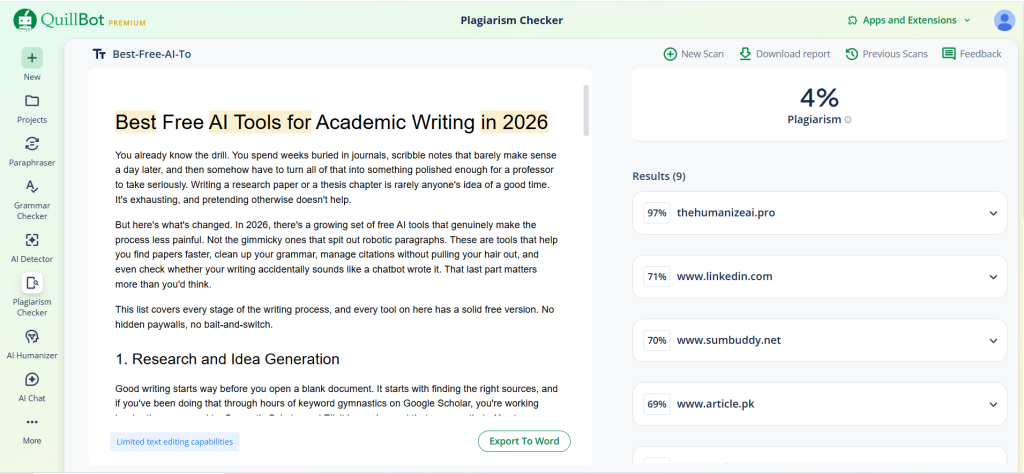
Scribbr handles the traditional plagiarism side well. It cross-references academic databases and flags anything that matches existing work. But what a lot of students skip is the other half of the equation: checking whether their own writing might get flagged as AI-generated. That’s where running your draft through an AI content detector comes in. QuillBot’s AI content detector scans your text and highlights the parts that could be read as machine-written. Catching that before submission gives you a chance to rewrite those spots in a way that actually sounds like you. It’s quickly becoming one of those steps that smart students just bake into their workflow.
5. Citation and Reference Management
If you’ve ever lost points because you formatted a citation wrong, you already know this pain.
Zotero is still the best free tool for managing references, and it’s not particularly close. You save a source, tag it, organize it into folders, and when it’s time to write, it drops perfectly formatted citations into your document. The browser extension alone is worth installing. And if you’re working on a group project, the shared libraries feature means everyone pulls from the same source list.
For quicker jobs, MyBib does the trick. Paste in a URL or DOI, pick your citation style, and it spits out the formatted reference. It supports APA, MLA, Chicago, Harvard, and a bunch of others. It won’t replace Zotero for a semester-long research project, but for a five-page assignment due tomorrow? It’s a lifesaver.
6. Presentation and Formatting
You’ve written the paper. Now you need to make it look right. If you’re in a STEM field and working with LaTeX, Overleaf is the obvious answer. It runs in the browser, supports real-time collaboration, and has templates for just about every major journal and conference. You don’t need to install anything locally, which is a bigger deal than it sounds when you’re switching between a laptop and a library computer.

And if you need to present your findings? Gamma is worth trying. You feed it a rough outline or a few bullet points, and it builds a polished slide deck. It won’t replace a carefully designed presentation for a conference talk, but for a class presentation where you’d rather spend your time rehearsing than fiddling with slide layouts, it works well.
Wrapping Up
No single tool is going to write your paper for you, and that’s kind of the point. The smartest approach is to stack a few of these together: one for research, one for drafting, one for grammar, one for citations, and one to check your work before you hit submit. They’re all free. They all do their specific job well. And when you use them together, you end up spending less time on the tedious stuff and more time on the thinking that actually earns you the grade.
Frequently Asked Questions
1. Is using AI tools for academic writing considered cheating?
It depends on how you use them. There’s a big difference between asking an AI to write your essay and using a tool to check your grammar or organize your citations. Most universities are fine with the second. The line gets blurry when AI is generating the actual content of your paper, which is why it’s smart to run your final draft through an AI content detector before turning it in. And always, always check your school’s specific policy. They vary more than you’d expect.
2. Do free versions of these tools actually work well enough for serious academic work?
For most students, absolutely. Zotero’s free plan is robust enough to handle a dissertation’s worth of sources. QuillBot’s free tier covers paraphrasing, grammar, and AI detection. LanguageTool’s free version catches errors that plenty of paid tools miss. You’ll hit limits if you’re processing huge volumes of text at once, but for standard coursework and even thesis-level writing, the free tiers hold up surprisingly well.
3. Your writing keeps getting flagged as AI-generated even though you wrote it yourself. What should you do?
This happens more often than people realize, and it usually comes down to writing style. If your sentences are all roughly the same length, you don’t use contractions, and your paragraphs follow a very predictable structure, detectors may flag it. The fix? Read your work out loud. If it sounds like something you’d actually say to a friend explaining your research, you’re on the right track. Mix up your sentence lengths. Throw in a short sentence after a long one. Add a question here and there. Then run it through a detection tool one more time to make sure you’re in the clear.
Author Bio
Nimisha Sureka is a SaaS (Software as a Service) content writer at Anchorial, a link-building agency. With extensive experience writing for SaaS brands from early-stage startups to established platforms, she specializes in turning complex products into clear, compelling narratives that rank, resonate, and convert.